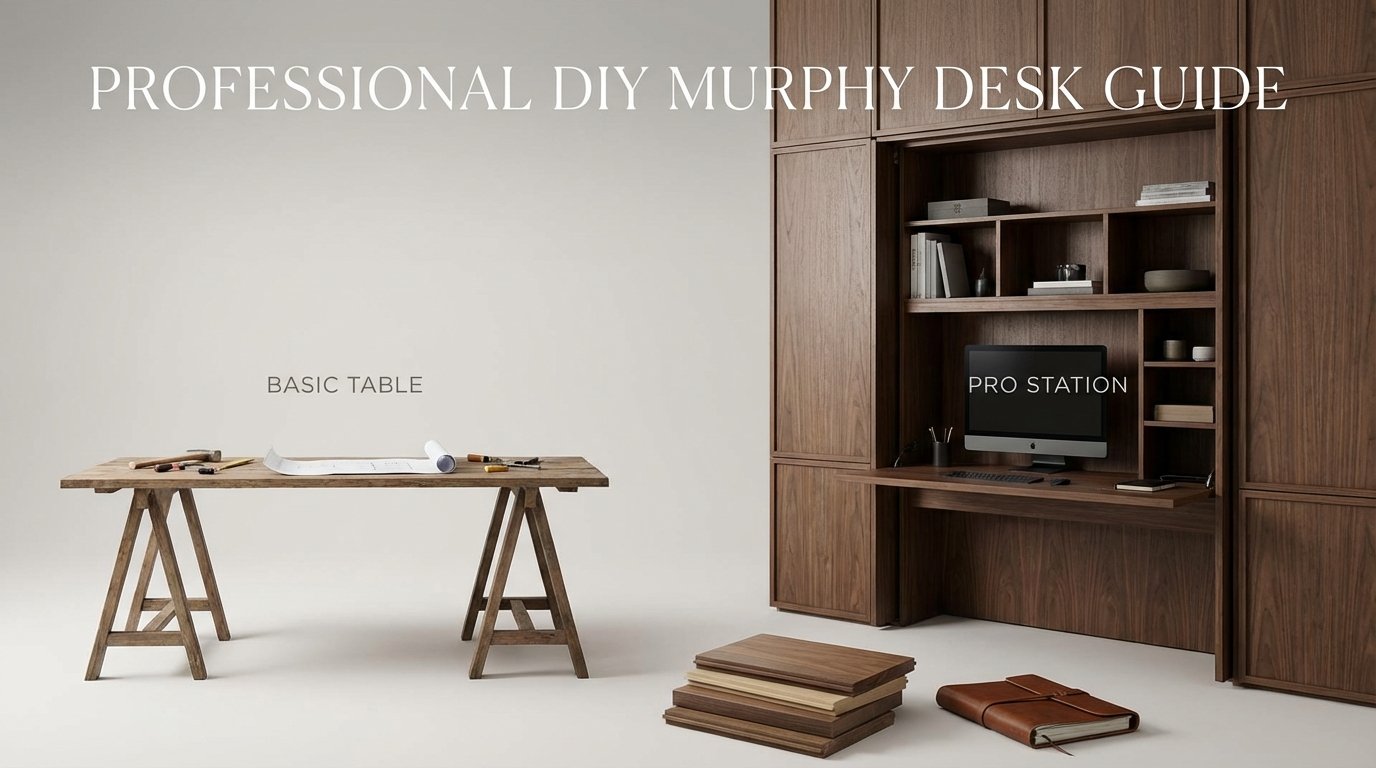
Professional Diy Murphy Desk Guide
A desk is just a surface, but a workstation is an ecosystem—build the latter. Don’t just build a board that flops down from a wall. Build a professional-grade workstation. We’re talking gas-strut assistance, hidden cable management, and perfect ergonomics. This isn’t just a DIY project; it’s a productivity machine.
Modern professionals need space that works as hard as they do. Most home offices suffer from a lack of square footage or poor organization. A standard desk eats up floor space even when you aren’t working. It collects clutter and creates a mental burden in your living area. You need a solution that disappears when the workday ends but provides a high-performance environment when it’s open.
This guide moves past the basic folding table. We are diving into the mechanics of high-end furniture. You will learn how to balance weight, manage power, and create a mounting system that stays on the wall. Let’s transform your wall into a center of gravity for your career.
Professional Diy Murphy Desk Guide
A Professional DIY Murphy Desk is a wall-mounted, fold-down workstation designed for daily, heavy-duty use. Unlike a simple “floating shelf,” this system uses mechanical assistance and integrated storage. It exists to solve the conflict between limited living space and the need for a dedicated office. You find these in studio apartments, guest rooms, and high-end tiny homes where every inch is a premium asset.
Think of it as the Murphy bed of the office world. It relies on a vertical storage cabinet or “carcass” that houses your monitors, peripherals, and tools. The desk surface rotates on a heavy-duty hinge. When closed, it looks like a clean cabinet or a piece of wall art. When open, it provides a stable, ergonomic platform for deep work.
Real-world professionals use these to separate their home life from their work life. Closing the desk is a physical act of “leaving the office.” This ritual improves mental health and prevents work from bleeding into your relaxation time. It’s a furniture-grade solution for a modern problem.
The Mechanics: How a Pro Station Works
The secret to a professional feel is the physics of movement. A cheap board will flop down and strain your hinges. A professional workstation uses gas struts or hydraulic pistons to control the descent. This makes the desk feel light and prevents it from crashing down on your lap.
You must calculate the weight of your desktop panel to choose the right strut. Use the formula: Force (N) = (Weight of lid in kg x 10) x (Length of lid / 2) / Distance from hinge to strut. Most DIY builders aim for struts rated between 100N and 300N for a standard 3/4-inch plywood desktop. Mounting the strut at roughly 20% to 30% of the panel’s depth from the hinge provides the best leverage.
Structural integrity depends on your wall connection. You cannot rely on drywall anchors for a workstation. You must anchor the main cabinet into at least two wall studs using 3-inch GRK structural screws. A French cleat system is a popular choice for professional builds because it allows for easy leveling and handles high shear loads with ease.
Benefits of a Professional Murphy Setup
The primary advantage is the total reclamation of floor space. You gain 10 to 15 square feet of living area the moment you close the lid. This is vital for maintaining a clean, minimalist aesthetic in small homes. You no longer have a “desk corner” that always looks messy.
Ergonomics are significantly improved in a custom build. You can mount the cabinet at the exact height that fits your body. Most commercial desks are a fixed 29 inches, but you might need 27 or 31 for perfect posture. You can even design the system to work as a standing desk by mounting it higher on the wall.
Cable management is baked into the design rather than being an afterthought. A professional Murphy desk includes a “hollow back” or a dedicated wire trough. This keeps power bricks and tangled cords hidden behind the monitor shelf. You only see one clean cord running to the wall outlet, keeping your visual field clear of distractions.
Challenges and Common Pitfalls
Weight distribution is the biggest hurdle for beginners. If you place a heavy monitor at the very edge of a fold-down desk, you create a massive amount of torque. This can rip the hinges out of the wood or cause the panel to sag over time. You must use a continuous piano hinge or high-torque butterfly hinges to distribute that load across the entire width of the wood.
Another mistake is failing to account for “lid thickness” in the closed position. If your monitors are too deep, the desk won’t close flush against the cabinet. You need to measure the depth of your screen with its mounting arm before you build the cabinet box. Modern slim-profile VESA mounts are essential for keeping the cabinet depth under 6 to 8 inches.
Humidity and wood movement can cause the desk to stick or warp. Since the desk is a large, flat panel, it is prone to bowing if you use cheap particle board. Stick to high-quality Baltic Birch plywood or hardwood solids. Avoid “Big Box” store pine unless you plan on reinforcing it with a steel frame, as it will likely twist within a year.
Limitations of the Murphy Design
Capacity is the most obvious constraint. You cannot treat a Murphy desk like a heavy workbench. Most pro-level DIY builds are rated for 50 to 80 pounds of static weight. This is plenty for a laptop, two monitors, and your coffee, but it won’t support you leaning your full body weight on the edge.
Setup complexity is also a factor. Every time you open the desk, you might need to move your chair into position. If you use a large desktop PC, you have to manage the bulky cables that run from the moving desk to the stationary floor unit. This design works best for laptop users or those using “Mini PCs” like a Mac Mini or NUC that can be mounted inside the cabinet.
Environmental factors also play a role. If you mount a Murphy desk on an exterior-facing wall in a poorly insulated house, the cabinet can trap moisture behind it. This leads to mold or damage to the wall. Always leave a small 1/4-inch gap or use spacers if you live in a high-humidity climate.
BASIC TABLE vs PRO STATION
It is helpful to see why the professional approach is superior to a simple DIY flap. A basic table is fine for a laundry room, but it fails in a high-productivity office environment.
| Feature | BASIC TABLE | PRO STATION |
|---|---|---|
| Movement | Gravity-fed (drops fast) | Gas-strut assisted (soft open) |
| Materials | Particle board or pine | Baltic Birch or Hardwood |
| Power | Exposed power strips | Integrated USB-C & AC ports |
| Stability | Moderate wobble | Rock-solid structural mounting |
| Storage | None | Built-in monitor & tool shelves |
Practical Tips for Your Build
Start with a clear plan for your hardware. High-quality gas struts often come with “Newton” ratings. If your desk panel weighs 15 pounds, look for two 100N struts. This provides a “neutral” feel where the desk stays in whatever position you leave it. Over-speccing the struts will make the desk hard to close, so stay within 10% of your calculated weight.
Focus on the edges. Raw plywood edges scream “DIY.” Use iron-on wood edge banding or a solid wood “nosing” to hide the layers. This gives the workstation a furniture-grade appearance and prevents the plywood from splintering over time. Sand the edges with 220-grit paper for a smooth feel under your wrists.
Don’t forget the latching mechanism. You need a way to keep the desk closed securely. Magnetic touch latches are great for a clean look, but heavy-duty mechanical toggle latches are safer if you have children or pets in the home. You want a latch that requires a deliberate action to release the panel.
Advanced Considerations for Serious Users
Acoustics are often overlooked. Since the back of your cabinet is a large, flat surface, it can reflect sound during video calls. Line the backboard with 1/2-inch acoustic felt or cork. This kills the echo and provides a professional-looking backdrop if your camera is mounted on your monitor.
Integrated lighting is a game-changer. Use recessed LED channels at the top of the cabinet to provide task lighting that shines directly on your keyboard. High-CRI (Color Rendering Index) LEDs will reduce eye strain and make your workspace feel more inviting during late-night sessions.
Think about heat dissipation. If you are mounting a laptop or a dock inside the cabinet, ensure there is air gap for ventilation. You can drill “speed holes” in the bottom of the cabinet or install ultra-quiet 5V USB fans to pull air through the system. Heat is the enemy of electronics, and a closed wooden box is an insulator.
Scenario: The “Guest Room Studio” Application
Imagine a 10×10 guest room that rarely gets used. By installing a professional Murphy desk on the main wall, you turn that room into a full-time editing studio. You mount a 34-inch ultrawide monitor inside the cabinet using a gas-spring arm. The desk itself is 48 inches wide, providing plenty of room for a Wacom tablet and a keyboard.
When guests arrive, you simply fold the desk up. The room returns to its original purpose as a peaceful bedroom. The guests see a beautiful walnut cabinet on the wall rather than a tangle of wires and black plastic monitors. This “double-duty” functionality increases the value of your home without requiring a major renovation.
Final Thoughts
Building a professional DIY Murphy desk is an exercise in intentional design. It forces you to think about what you actually need for productivity and what is just “noise.” By using gas struts and structural mounting, you create a station that is both safe and satisfying to use every single day. This isn’t just about saving space; it’s about optimizing your environment for peak performance.
The beauty of this project lies in its customization. You can choose the wood species that matches your floor, the lighting that suits your mood, and the ergonomics that protect your health. It is a long-term investment in your career and your home’s livability. Take the time to measure twice and calculate your loads accurately.
Once you finish your first build, you’ll wonder why anyone settles for a static desk. Experiment with different finishes and organizational layouts. The ecosystem you build today will be the foundation for your best work tomorrow. Go build something that works as hard as you do.
Sources
1 youtube.com (https://www.youtube.com/watch?v=CSP6wOec-JA) | 2 eurekaergonomic.com (https://eurekaergonomic.com/blogs/eureka-ergonomic-blog/under-desk-cable-management) | 3 arrtle.com (https://arrtle.com/blogs/buying-guide/what-is-murphy-dining-table) | 4 youtube.com (https://www.youtube.com/watch?v=6QTHhMh0C5I) | 5 zoom-room.com (https://www.zoom-room.com/single-post/the-difference-between-a-murphy-bed-table-and-a-murphy-bed-desk) | 6 pithandstem.com (https://pithandstem.com/a-buyers-guide-to-murphy-tables/) | 7 mancavesmore.com (https://mancavesmore.com/space-saving-wall-tables/) | 8 yechenhome.com (https://yechenhome.com/blogs/news/horizontal-murphy-bed-with-desk-vs-bed-only-ideal-for-home-office-setups)