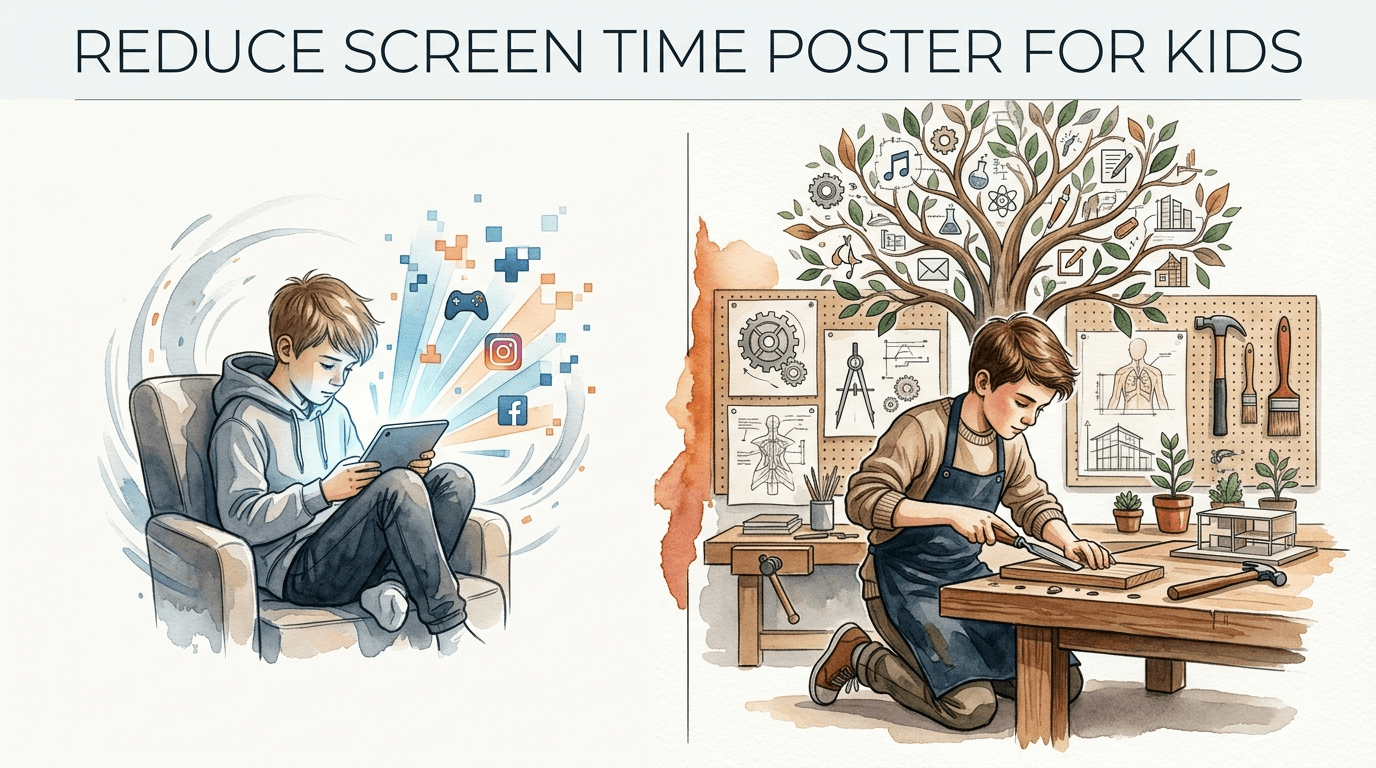
reduce screen time poster for kids
Is your child building a character or just watching one? A ‘Reduce Screen Time’ poster shouldn’t just say ‘No.’ It should say ‘Yes’ to building a legacy of skills. Download our template today.


Every parent knows the feeling of the “digital glaze.” It is that blank stare children get when they have been scrolling or gaming for too long. Breaking that spell often leads to tantrums, power struggles, and a household filled with tension. You want your child to experience the world, but the lure of the screen is engineered to be stronger than a simple verbal command.
Transitioning from a digital-first lifestyle to a skill-first lifestyle requires more than just a set of rules. It requires a visual roadmap that children can see, touch, and own. This is where a strategic visual aid changes the game. Instead of being the “bad guy” who takes the tablet away, you become the coach guiding them toward more exciting, real-world achievements.
Managing digital consumption is one of the most significant challenges of modern parenting. Recent research shows that excessive screen time in early childhood is linked to delays in language development and reduced attention spans. However, the goal is not to eliminate technology entirely. The goal is to ensure technology does not displace the vital play and interaction required for healthy growth.
reduce screen time poster for kids
A reduce screen time poster for kids is a visual management tool designed to set clear, non-negotiable boundaries for device usage while highlighting alternative activities. Think of it as a “visual contract” between you and your child. It serves as a constant, silent reminder of the house rules, which helps reduce the cognitive load on both the parent and the child.
These posters exist to bridge the gap between abstract rules and daily habits. When a child asks, “Can I play my game?” you don’t have to engage in a debate. You simply point to the poster. This shifts the authority from the parent’s mood to a pre-established family standard. It creates a predictable environment where children know exactly what is expected of them before they can earn their digital minutes.
In real-world situations, these posters are used in bedrooms, kitchens, or “tech stations” where devices are kept. They often include “First, Then” logic. For example, “First: Finish chores and read for 20 minutes. Then: 30 minutes of screen time.” This structure teaches children the value of delayed gratification, a skill that is often eroded by the instant rewards of the digital world.
Effective posters often use icons and bright colors to remain engaging. For younger children who cannot yet read, images of a toothbrush, a book, and a bicycle tell them exactly what needs to happen before the TV turns on. This visual support helps them navigate their day independently, fostering a sense of autonomy and self-regulation.
How to Design and Implement Your Poster System
Creating a system that actually sticks requires a bit of strategy. A poster taped to the wall is only as effective as the routine behind it. You should start by involving your child in the creation process. When children help design the “rules,” they are much more likely to follow them because they feel a sense of ownership over the plan.
First, identify the “Non-Negotiables” for your household. These are the activities that must happen every single day before a screen is even considered. Common items include making the bed, finishing homework, spending 30 minutes outside, and practicing a physical skill like a sport or a musical instrument. List these clearly on the top half of your poster.
Second, define the “Tech-Free Zones” and “Tech-Free Times.” Research suggests that keeping screens out of bedrooms and off the dining table significantly improves sleep quality and family bonding. Your poster should clearly state these boundaries. Use bold headings like “The Table is for Talking” or “Bedrooms are for Dreaming” to reinforce the purpose of these spaces.
Third, use a “Screen Time Menu.” This is a section of the poster that lists high-quality alternatives. Sometimes children stay on screens simply because they have forgotten how to be bored or how to find something else to do. Providing a list of 10-15 “Legacy Skills”—such as drawing, building with blocks, or helping with a recipe—gives them an immediate starting point when the screen goes dark.
Fourth, establish a clear ending signal. Use the poster to explain how time is tracked. Whether you use a kitchen timer, a visual sand timer, or a specific app, the poster should remind the child that “When the timer dings, the screen swings.” This prepares their brain for the transition, reducing the likelihood of a “transition tantrum.”
Benefits of Using a Visual Screen Time Plan
The primary advantage of a visual system is the reduction of “the nag factor.” When rules are verbal, they feel arbitrary to a child. When rules are visual and consistent, they feel like part of the environment. This leads to fewer arguments and a more peaceful home atmosphere because the expectations are never a surprise.
Another major benefit is the development of executive function. Children learn to plan their afternoon and manage their responsibilities. They start to realize that if they get their chores done quickly, they have more “free choice” time later. This internalizes the concept of time management, which is a critical skill for school and later life.
Physical health improvements are often immediate. By mandating outdoor play or movement before screen time, children get the sensory input their bodies crave. This helps regulate their nervous systems, making them less irritable when they eventually do use technology. Better physical health leads to better sleep, which in turn leads to better mood regulation the next day.
Social-emotional growth is also a key benefit. Visual schedules encourage “conversational turns” and face-to-face interaction. When the poster reminds the family that “Dinner is Screen-Free,” it creates a protected space for children to learn empathy, active listening, and social cues that are often lost in digital communication.
Challenges and Common Mistakes to Avoid
Inconsistency is the most frequent reason these systems fail. If you enforce the poster on Monday but let things slide on Tuesday because you are tired, the child learns that the rules are negotiable. For the poster to work, it must be the “law of the land” every single day. If you need a break, build “Parent Choice” or “Bonus Time” into the system rather than ignoring the rules entirely.
Using the screen as a “calm-down tool” is another common pitfall. While a tablet might stop a tantrum in the short term, it prevents the child from learning how to self-regulate. Over time, this can lead to more aggressive behavior as the child becomes dependent on the device to soothe their emotions. The poster should encourage alternative “cool-down” activities like reading in a quiet corner or sensory play.
Failing to model the behavior is a major hurdle. If your poster says “No phones at the table” but you are checking your email during dinner, the message is lost. Children are excellent observers of hypocrisy. To make the system credible, parents must follow the same “Tech-Free Zone” rules. This “modeling” shows the child that the boundaries are about the health of the family, not just a punishment for being a kid.
Making the rules too complex can also backfire. If the poster has 50 different steps or a complicated point system, children will get overwhelmed and give up. Keep the “First, Then” logic simple. A few clear, high-impact goals are much better than a long list of minor chores that nobody wants to track.
Limitations and When This May Not Be Ideal
A static poster may lose its effectiveness as children get older. Teenagers, for example, often require more nuanced discussions about digital literacy and online safety rather than a simple chore list. For older kids, the poster might need to evolve into a “Family Media Contract” that focuses on content quality and social media etiquette rather than just time limits.
Environmental constraints also play a role. If you live in a small apartment during a rainy week, “go outside and play” may not be a realistic requirement. In these cases, the poster needs to be flexible enough to offer indoor physical alternatives like “obstacle courses” or “dance parties” so the child doesn’t feel set up for failure.
Children with certain neurodivergent traits, such as ADHD or Autism, may find a standard poster helpful but may need additional support. For these children, the “screen time itch” can be much more intense. A poster is a great start, but they may also need physical timers, more frequent breaks, and highly specific sensory activities to help them transition away from the dopamine-rich environment of a screen.
It is also important to recognize that screens are not “toxic” in and of themselves. Using technology for educational projects, video calling grandparents, or creative digital art is very different from passive scrolling. A rigid “no-screen” rule on the poster might accidentally discourage high-quality digital creation. The system should distinguish between “passive” consumption and “active” production.
Visual Schedules vs. Digital Monitoring Apps
Many parents wonder if they should just use an app that locks the device automatically. While digital locks are efficient, they don’t teach the same level of self-discipline that a visual schedule does. The following table compares the two approaches to help you decide which fits your family best.
| Feature | Visual Poster System | Digital Monitoring Apps |
|---|---|---|
| Main Goal | Teaches self-regulation and life skills. | Enforces strict compliance and limits. |
| Child Autonomy | High. Child chooses how to earn time. | Low. The device simply shuts off. |
| Parental Effort | Medium. Requires consistent follow-through. | Low. Set it and forget it. |
| Conflict Level | Lower over time as habits form. | Can be high if child feels “tricked.” |
| Cost | Low (Paper, markers, or a template). | Medium (Often requires a subscription). |
Ideally, a combination of both works best for many modern families. Use the digital app as a “hard stop” safety net, but use the visual poster as the primary teaching tool. This ensures the child is learning the why behind the limits, rather than just reacting to a black screen.
Practical Tips and Best Practices
The “Boredom Jar” is a perfect companion to your poster. Whenever a child says they are bored after their screen time is up, they can pull a slip of paper from the jar. These slips should contain 5-minute activities like “Do 20 jumping jacks,” “Draw a monster,” or “Hide a toy for Mom to find.” This removes the “choice paralysis” that often leads kids back to screens.
Try the “1:1 Movement Rule.” For every minute spent on a screen, the child must spend one minute doing something physically active. This helps balance the sedentary nature of digital use. You can track this on the poster with a simple tally system. It turns screen time into a currency that must be earned through physical investment.
Rotate your alternative activities weekly. If the same LEGO set and the same coloring books are out every day, they lose their charm. Use the poster to announce the “Skill of the Week.” One week might be “Kitchen Skills,” where the child helps prep veggies. Another might be “Nature Skills,” where they identify three birds in the backyard. Keeping the options fresh prevents the “nothing to do” complaint.
Establish a “Sunset Hour.” This is a period of 60 to 90 minutes before bed where all screens are put away, as specified on the poster. This practice is supported by sleep science, as it allows the brain’s natural melatonin production to kick in. Replace this time with reading or storytelling to help the child’s nervous system transition into a restful state.
Advanced Considerations: Moving Toward Digital Creation
Once your child has mastered the basic limits, you can use the poster to encourage “Digital Creation” over “Digital Consumption.” Passive use is watching YouTube; active use is learning to code, editing a family video, or composing music on a tablet. You can offer “Bonus Minutes” for activities that involve creating something new.
Teaching “Technoference Awareness” is another advanced step. This involves talking to your children about how devices are designed to keep us hooked. You can add a section to the poster titled “How I Feel.” Encourage your child to notice if they feel “cranky” or “tired” after a long gaming session. Developing this internal awareness is the ultimate goal of any screen time management system.
Consider the “Shared Activity Framework.” Research shows that co-viewing or co-playing with an adult is significantly more beneficial for a child than solo use. You might allow more screen time if it is a shared family activity, like a movie night or a multi-player building game. This transforms the screen from a “babysitter” into a tool for family connection.
Scaling the system for different ages requires flexibility. A toddler might need a very rigid schedule with many pictures. A ten-year-old might need a weekly “budget” of hours they can spend however they like, provided their responsibilities are met. This gradual shift in responsibility prepares them for the independence they will need as teenagers and adults.
Example Scenario: The Saturday Skills Challenge
Imagine a typical Saturday morning. In many homes, this starts with hours of cartoons while parents try to sleep in. With the “Reduce Screen Time” poster in place, the morning looks very different. The child wakes up and sees the visual checklist on the fridge. They know that before the TV turns on, they need to eat breakfast, clear their plate, and finish their “Saturday Skill Challenge.”
This week’s challenge on the poster is “Master the Paper Airplane.” The child spends 45 minutes folding different designs, testing them in the hallway, and measuring how far they fly. They are building fine motor skills, learning about aerodynamics, and practicing persistence. By the time they ask for the TV, they have already had a productive, brain-boosting morning.
When the screen time limit is reached, the kitchen timer goes off. Because the poster has already defined the “Then” activity—building a fort in the living room—the transition is smoother. The child moves from the screen to the fort with less resistance because the next fun thing was already planned. The screen was just one small part of a rich, active day rather than the main event.
Through this process, the parent hasn’t spent the morning nagging or arguing. The poster did the “work” of setting the expectations. The child spent the morning building a legacy of small skills—problem-solving, measuring, and creating—rather than just passively consuming someone else’s content.
Final Thoughts
A reduce screen time poster for kids is not about deprivation; it is about prioritization. It provides the structure children need to thrive in a world that is increasingly designed to distract them. By making family values visible and consistent, you create a safe environment where children can develop the self-control they need for the future.
The transition may be difficult for the first few days, especially if screens have become a primary source of entertainment. However, once the routine is established, you will likely notice a significant shift in your child’s mood, creativity, and willingness to help around the house. The goal is to raise “grounded thinkers” who can enjoy technology without being controlled by it.
Start small. Print a simple template, involve your kids in the rules, and commit to being consistent for one week. You aren’t just taking away a tablet; you are giving them back their imagination, their curiosity, and their ability to engage with the real world. That is a legacy of skills worth building every single day.
Sources
1 cityoflondon.gov.uk (https://www.fis.cityoflondon.gov.uk/asset-library/early-years-minimize-screen-time.pdf) | 2 gbtherapy.org (https://gbtherapy.org/blog/screen-time-alternatives/) | 3 mayoclinic.org (https://www.mayoclinic.org/healthy-lifestyle/childrens-health/in-depth/screen-time/art-20047952) | 4 horizonhealthcare.org (https://www.horizonhealthcare.org/limiting-screen-time-for-children/) | 5 ourtinythinks.com (https://ourtinythinks.com/insights/engaging-alternatives-to-screen-time/) | 6 ckfamilyservices.org (https://ckfamilyservices.org/blog/screen-time-kids-setting-boundaries-stick) | 7 astroaba.com (https://www.astroaba.com/blog/how-aba-therapy-can-help-in-reducing-screen-time-dependencies) | 8 kubrio.com (https://kubrio.com/blog/screen-time-alternatives) | 9 nsw.gov.au (https://www.schn.health.nsw.gov.au/kids-health-hub/screen-time/positive-effects-screen-time) | 10 laist.com (https://laist.com/news/education/early-childhood-education-pre-k/screentime-calm-kids-to-behavior-problems-study) | 11 sparklestories.com (https://www.sparklestories.com/blog/post/77-things-to-do-instead-of-screens/) | 12 screenagersmovie.com (https://www.screenagersmovie.com/blog/finally-screen-time-rules-that-actually-work-for-your-family)