healthy screen time habits
Stop fighting the screen time war manually. Use strategic systems to make healthy habits the path of least resistance. If you are manually arguing about tech every day, your system is broken. Here is how to automate your household’s digital wellness so you can stop being the ‘screen police.’ #DigitalWellness #SmartHome #HabitBuilding
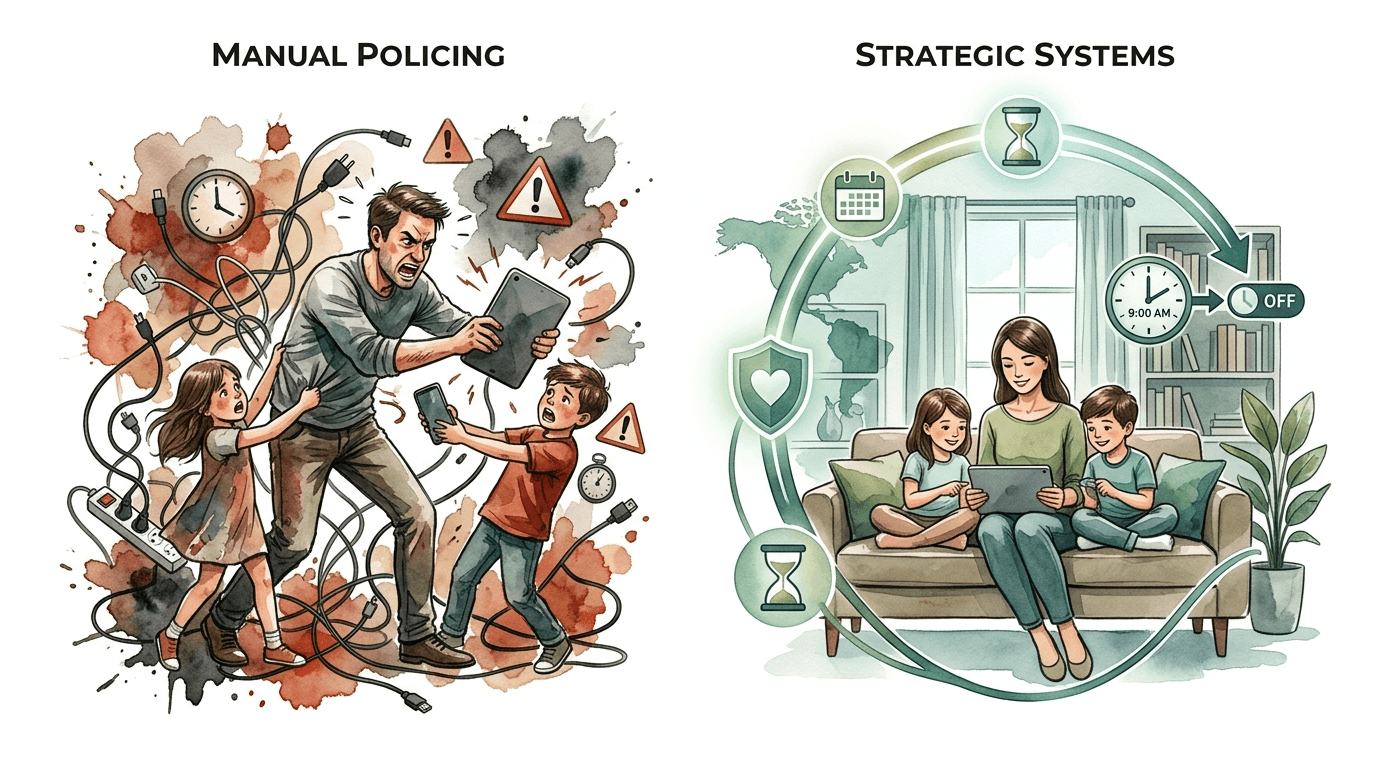
[affiai]Most parents spend their evenings in a state of constant friction. You are negotiating for the fifth time about ‘just five more minutes’ of Minecraft. You are checking chargers, peering over shoulders, and feeling like a constant nag. This manual policing is exhausting and, quite frankly, ineffective.
Transitioning to a strategic system changes the dynamic of your home. Instead of you being the villain who takes the phone away, the system simply enforces the rules you agreed upon. The internet shuts off. The apps grey out. The lights dim. Technology becomes a tool you manage rather than a fire you are constantly trying to put out.
Automating your digital wellness isn’t about being lazy. It is about preserving your relationship with your children and your own mental peace. When the system handles the enforcement, you get to stay the coach rather than the cop. Let’s dive into how to build a household that prioritizes wellness through automation.
healthy screen time habits
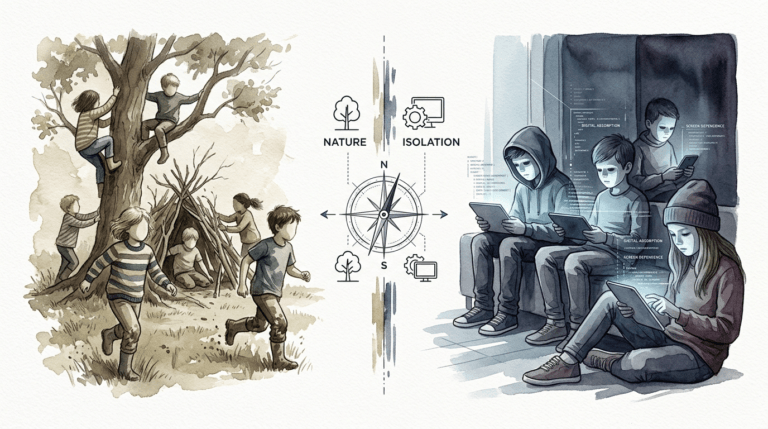
Healthy screen time habits are not just about “less” time online. They are about intentionality and balance. In a modern world, digital wellness is the deliberate optimization of technology to support mental and physical health. It means using devices for specific purposes—education, connection, or high-quality entertainment—without letting them override your sleep, movement, or face-to-face social needs.
Think of it as a digital diet. Just as a healthy physical diet includes a variety of nutrients and avoids “empty calories,” a healthy digital diet prioritizes high-value interaction over mindless scrolling. Strategic technology use correlates with improved mental health outcomes and reduced stress levels. It moves the focus from “what we can’t do” to “how we choose to spend our time.”
Real-world digital wellness looks like a home where screens have “beds” (charging stations) and “curfews.” It involves environments where technology disappears when it isn’t needed. For instance, using smart lighting to mimic natural daylight patterns helps regulate the circadian rhythm, signaling the body to wind down before bed without a single verbal command.
These habits exist to combat the “attention economy.” Most apps are designed to keep users engaged for as long as possible. Without a system in place, the human brain—especially the developing brain—is at a physiological disadvantage. Healthy habits provide the guardrails necessary to navigate this landscape safely and productively.
Building Your Automated Wellness Engine
Creating a system starts at the source: your home network. Manual device-level controls are easily bypassed by savvy kids. A network-level solution, like a dedicated parental control router, creates a “hard floor” for your rules. Devices like the Gryphon AX or Eero Plus allow you to assign every device in the house to a specific person.
Set up “Bedtime” and “Homework” profiles immediately. These profiles don’t just limit time; they filter content. During homework hours, you can automate the system to block YouTube and gaming servers while leaving educational sites and school portals open. This removes the temptation before the struggle even begins.
Integrate your smart home hub into the mix. Using platforms like Home Assistant or even basic Alexa Routines can bridge the gap between “digital limits” and “physical environment.” You can program your home to change the lighting to a warm amber at 8:00 PM, signaling the end of high-stimulation gaming. When the environment changes, the brain naturally begins to shift its state.
Don’t forget the “Offline” triggers. Use smart plugs to completely cut power to gaming consoles or televisions at a specific time. This prevents the “sneaky midnight gaming” sessions that derail sleep hygiene. When the hardware physically powers down, the argument ends. There is no “five more minutes” when the TV won’t turn on.
Benefits of Strategic Automation
The primary benefit of an automated system is the elimination of “decision fatigue.” Every time you have to decide whether to let your child stay on their tablet for an extra ten minutes, you are burning mental energy. Automation makes the rules consistent. Consistency breeds predictability, which reduces anxiety for both parents and children.
Consistency also builds trust. When the rules are enforced by a machine, they feel less personal. The child learns that “the internet goes off at 9:00” is a law of nature in your house, similar to the sun setting. This shifts the focus from “Mom is being mean” to “I need to finish my game before the cutoff.”
Another measurable advantage is improved sleep quality. By automating blue light reduction and “tech-free” windows, you ensure that the family’s melatonin production isn’t suppressed. Studies show that children who have a structured wind-down period without screens fall asleep faster and reach deep sleep more effectively.
Strategic systems also encourage self-regulation. When a child sees a “5-minute warning” pop up on their screen automatically, they learn to manage their remaining time. This is a vital life skill. You are training them to interact with tech in a way that respects their own boundaries, a skill they will need when they eventually leave your home.
Challenges and Common Pitfalls
The “Set It and Forget It” Trap is the most common mistake. No automation system is perfect. Tech-savvy children will eventually find workarounds, such as changing their device’s MAC address or using a neighbor’s unencrypted Wi-Fi. If you rely 100% on the tech without maintaining a dialogue, you will be caught off guard when the system is bypassed.
Fragility is another hurdle. If your system is too complex, a single software update can break your entire wellness routine. Many parents try to link too many disparate apps together, resulting in “ghost” blocks where the internet stops working for no apparent reason. Keep your logic simple and your hardware reliable.
Over-restriction often leads to rebellion. If you automate a “total blackout” without providing alternative entertainment, kids will spend their energy trying to hack the system rather than enjoying their offline time. The goal is “path of least resistance” to healthy habits, not a digital prison.
Mistakes also happen when parents don’t follow their own rules. If the house enters “Wellness Mode” and the lights dim, but the parent is still scrolling TikTok on the couch, the system loses all credibility. Automation works best when it applies to the environment as a whole, creating a shared experience for the entire family.
Limitations and Realistic Constraints
Hardware limitations often dictate what you can and cannot automate. For example, Apple’s “Screen Time” and Google’s “Family Link” don’t always talk to each other well. If you have a mixed-ecosystem household, you may find that some features work on the iPads but not on the Android tablets, leading to an “unfair” enforcement experience.
Environmental constraints also play a role. If you live in an apartment with dozens of visible Wi-Fi signals, your child might easily find a way around your router-level controls. Network-level systems are powerful, but they stop at your front door. Once a child is on a cellular connection or a friend’s Wi-Fi, your home automation can no longer help.
Trade-offs in privacy and performance are inevitable. Deep packet inspection (DPI) used by parental control routers can sometimes slow down internet speeds for high-demand tasks like 4K streaming or competitive gaming. You have to decide if the “perfect filter” is worth a 10% drop in speed. Usually, the wellness benefit outweighs the millisecond lag, but it is a factor to consider.
Automation cannot replace active parenting. It is a tool to handle the mundane enforcement, but it cannot teach the underlying values. If a child doesn’t understand *why* sleep is important, they will simply view the automated lights as an annoyance to be defeated. The tech handles the “what,” but you must still handle the “why.”
Router-Level vs. Device-Level Controls
| Feature | Router-Level (Gryphon/Circle) | Device-Level (iOS/Android) |
|---|---|---|
| Scope | All Wi-Fi devices (Consoles, TVs, IoT) | Only the specific smartphone/tablet |
| Bypass Difficulty | High (Requires network hacking) | Moderate (Can be deleted or reset) |
| Offline Functionality | None (Only stops internet) | High (Can lock the device entirely) |
| Ease of Setup | Medium (One-time hardware setup) | Easy (Built into settings) |
Choosing between these two approaches depends on your family’s specific needs. Router-level controls are superior for managing a “smart home” where multiple types of devices (Xbox, Smart TV, Tablet) are in play. It acts as a single point of control for everything that touches the internet.
Device-level controls are better for families on the go. Since the limits are baked into the operating system, they follow the child to school or the park. Using a combination of both provides the most robust “defense in depth” strategy. Set the device limits for time management and the router limits for content filtering and network-wide “bedtimes.”
Practical Tips for Immediate Implementation
Start with a “Device Bed.” Pick a central location in the house, like a kitchen drawer or a dedicated charging station. Automate a notification to your own phone that checks if all devices are plugged in by 8:30 PM. Making the physical storage of tech part of the routine is the most effective way to ensure “out of sight, out of mind.”
Use “Grey-Scale” triggers. On many devices, you can set an automation to turn the screen to black and white at a certain time. This makes apps like Instagram or YouTube significantly less stimulating and “addictive.” When the color disappears, the dopamine hit drops, and it becomes much easier for the brain to put the device down.
Leverage the “Pause” button. Most modern router apps have a giant “Pause Internet” button for specific profiles. Use this for family dinner time. Instead of asking everyone to put their phones away, just tap the button. When the notifications stop buzzing, the phones naturally stay in pockets.
Implement a “Tech-Free Morning” automation. Set your router to keep the kids’ devices offline until 30 minutes after they usually wake up. This prevents the “wake up and scroll” habit, forcing them to engage with their morning routine—getting dressed, eating breakfast—before the digital world intrudes. It sets a productive tone for the entire day.
Advanced Considerations for Power Users
Serious practitioners should look into local DNS filtering. Services like NextDNS or Pi-hole allow you to block trackers and ads at the network level. This doesn’t just manage screen time; it improves the quality of the time spent online by removing the manipulative advertisements and tracking scripts that make the web feel cluttered and stressful.
Integrate your digital wellness with your security system. For example, if you have Home Assistant, you can create a logic that says: “When the front door lock is engaged at night, turn off the kids’ Wi-Fi and dim the bedroom lights.” This creates a cohesive “House is Sleeping” state that feels natural and integrated.
Consider the “Matter” protocol for future-proofing. As more devices adopt the Matter standard, cross-brand communication will become easier. You will be able to trigger a “Wellness Scene” that affects your Philips Hue lights, your Nest thermostat, and your TP-Link smart plugs all from a single command or schedule, regardless of which app you prefer.
Performance monitoring is the final frontier. Use your router’s analytics to see *where* the time is going. If you see a massive spike in “Education” category traffic at 11 PM, your child might be struggling with homework or using a study site as a back-door for entertainment. Use these data points for informed conversations rather than blind punishment.
Example: The “Homework Mode” Scenario
Imagine a Tuesday afternoon. Your 12-year-old child comes home and sits down at their desk. At 4:00 PM, the “Homework Mode” automation triggers. The smart bulb in their desk lamp shifts to a “Concentrate” blue-white light, which is scientifically proven to aid focus. At the same time, the house router switches their profile to “Restricted.”
Under this restriction, TikTok, Roblox, and Discord are completely blocked. However, Google Classroom, Wikipedia, and the school’s portal remain fully functional. The child doesn’t have to “try” to stay off social media; the temptation is physically removed from their environment. They aren’t fighting their own willpower.
At 5:30 PM, the lamp flashes green once, signaling that “Homework Mode” is ending. The router automatically unlocks their gaming apps for their one hour of allotted free time. This clear transition between “work” and “play” helps the child develop a sense of time management without a single word from a parent. The system handled the transition, the focus, and the reward.
Final Thoughts
Strategic systems take the friction out of family life. By moving from manual policing to automated wellness, you stop being the “screen police” and start being a mentor. The technology is no longer an adversary to be conquered but a structured part of a healthy environment. You are building a home where the right choice is also the easiest choice.
Start small. Choose one area—perhaps a network-level bedtime or a shared charging station—and automate it this week. Observe the change in the household energy. You will likely find that when the machine handles the “No,” you have more energy to say “Yes” to the things that actually matter. Digital wellness is a journey, and your smart home is the most powerful tool you have to navigate it.
Encourage your family to be part of the design process. Ask your kids what they find most distracting and use automation to help them overcome it. When everyone understands that the system is there to support their well-being, the technology stops being a source of conflict and starts being a foundation for a balanced life. Experiment, adjust, and enjoy the silence that comes with a system that just works.
Sources
1 patobesmarthomes.com (https://patobesmarthomes.com/smart-home-automation-trends/) | 2 magnushealth.com (https://magnushealth.com/benefits-of-limiting-screen-time-for-children/) | 3 daar.com.au (https://blog.daar.com.au/blog/top-screen-time-control-apps-for-parents-to-explore) | 4 cybernews.com (https://cybernews.com/best-parental-control-apps/best-parental-control-routers/) | 5 cybersafetyconsulting.com (https://www.cybersafetyconsulting.com/using-parental-controls-effectively-apple-screen-time-google-family-link/) | 6 healthonomix.com (https://healthonomix.com/digital-wellness-a-complete-guide-to-healthy-technology-use-in-2025/) | 7 fatherly.com (https://www.fatherly.com/gear/best-parental-control-devices-routers-kw) | 8 peopledaily.digital (https://peopledaily.digital/lifestyle/how-smart-home-devices-are-transforming-daily-wellness-routines) | 9 dailyiowan.com (https://dailyiowan.com/2025/05/08/explore-smart-home-wellness-trends-transforming-relaxation-in-your-home/) | 10 dupple.com (https://dupple.com/learn/best-parental-control-router)